Friday, October 23, 2026

MP4 vs WebM vs MOV: Which Video Format to Use
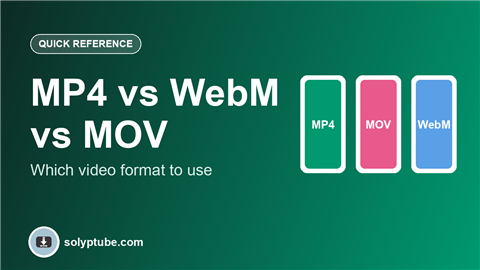
MP4, MOV and WebM are the three video file types you will meet most often. They all store video, but they are made for different jobs. This guide explains the difference in plain words and tells you which one to pick.
The short answer
- For social media, sharing and almost everything else: use MP4.
- For editing on an iPhone or Mac: MOV is what many Apple devices record, and it is fine to keep while you edit.
- For videos on your own website: WebM is a good extra option, with MP4 as the main one.
MP4
MP4 plays almost everywhere: phones, computers, TVs, browsers and social apps. Files are fairly small for their quality. If you are not sure what to use, use MP4 with H.264 video.
- Good for: uploading to Instagram, YouTube, Snapchat, Facebook and WhatsApp; sending to friends; keeping videos on any device.
- Watch out for: it is a finished format, not the best for heavy editing.
MOV
MOV was made by Apple. Many iPhones and Macs record video in this format, and video editors like it. It can hold very high quality, so files can be large.
- Good for: editing on Apple devices, keeping high quality.
- Watch out for: some Windows apps and older devices play it badly, and files can be big. Convert to MP4 before you share it widely.
WebM
WebM was made for the web. It is open and free, and browsers play it well. Files can be small and light.
- Good for: short videos and animations on websites.
- Watch out for: some phones, TVs and apps do not accept it, and many social apps want MP4.
Comparison
| MP4 | MOV | WebM | |
|---|---|---|---|
| Works on most devices | Yes | Mostly Apple | Mostly browsers |
| Accepted by social apps | Yes | Often | Rarely |
| File size | Small to medium | Medium to large | Small |
| Best use | Sharing and posting | Editing on Apple | Websites |
How to pick
- Are you posting to a social app or sending to someone? Choose MP4.
- Are you editing on an iPhone or Mac? Keep the MOV while you edit, then export an MP4.
- Are you putting a video on a website? Use MP4, and add WebM if you want a smaller file for browsers.
Format is not the same as quality
The file type is only the container. Quality depends on the resolution, the bitrate and how many times the video was compressed. A well made MP4 can look better than a poor MOV. Record in good light and in the right size for where you post. See our guide to the best video size for Reels, Shorts and Snapchat.
Frequently asked questions
Is MP4 or MOV better?
Neither is better in every case. MP4 is better for sharing and posting because it works everywhere. MOV is fine for editing on Apple devices.
What is the best video format for Instagram?
MP4 is the safest choice. Instagram accepts it, and it keeps file size reasonable.
What is the difference between MP4 and WebM?
MP4 works on nearly every device and app. WebM is made for the web and works well in browsers, but many apps and devices do not support it.
Does changing the format lower the quality?
It can. Converting a video may compress it again, which can lose some detail. Convert once, from the original file, and avoid doing it repeatedly.
Why will my MOV file not play on my computer?
Some players do not support the video inside it. Try another player, or convert the file to MP4.