Friday, October 23, 2026

How to Increase Your Live Quota in GoLive India

How to Increase Your Live Quota in GoLiveIndia
If you are running out of live streaming quota on GoLiveIndia, you can increase your limit in just a few clicks. This will allow you to live more videos on Facebook, YouTube, Twitch ,Rumble, Kick, Vimeo , Amazon Live or any RTMP platform without interruption.
Here is a step-by-step guide to help you increase your live quota:
Step 1: Open Go Live India Streaming App
Log in to your GoLiveIndia app or web dashboard.
Click Live on Facebook, YouTube, RTMP or any other available option..png)
Step 2: Go to Live Quota Section
Scroll down to find the Live Quota section.
Tap “Increase your limit” to continue..png)
Step 3: Choose Currency and Quota Plan
Choose your preferred currency: INR or USD.
Use the ( + ) button to choose the live quota plan that best suits your needs.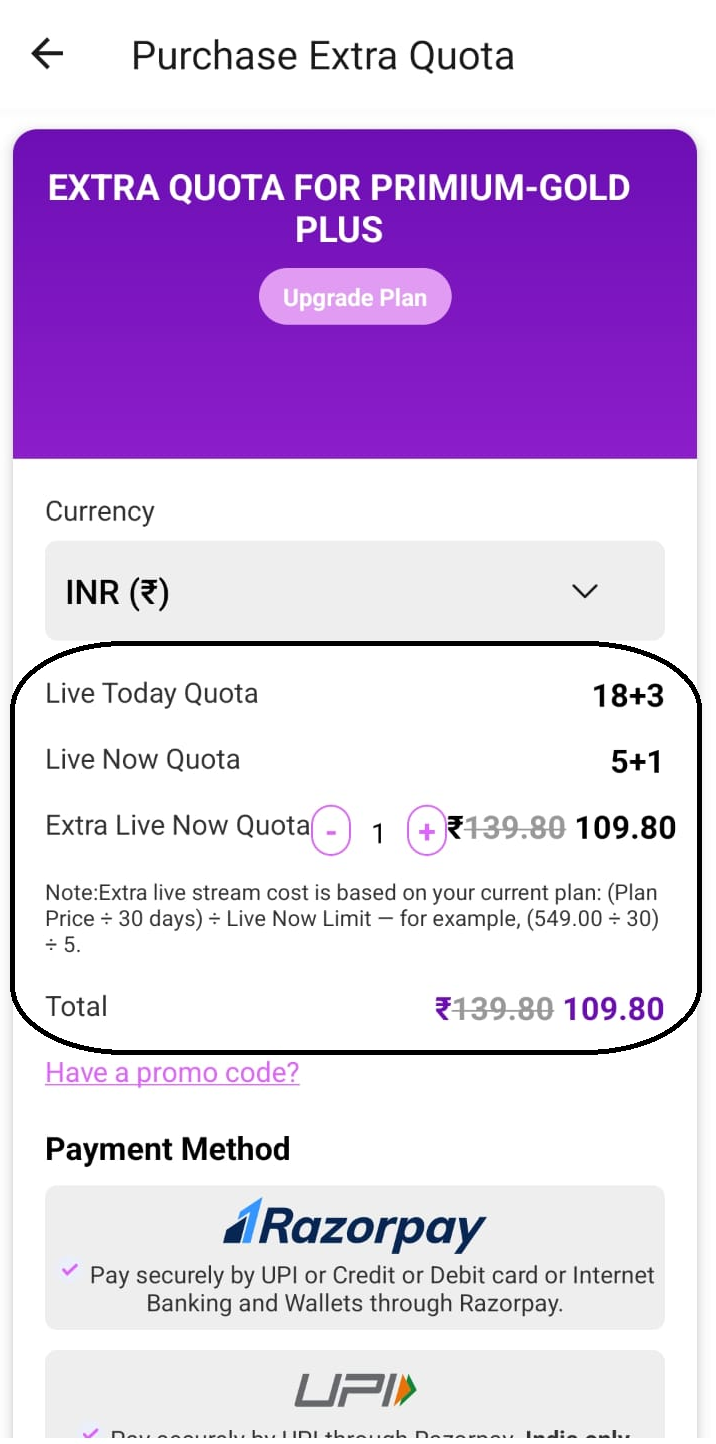
Step 4: Apply promo code (optional)
If you have a promo code, enter it before checkout to get the discount.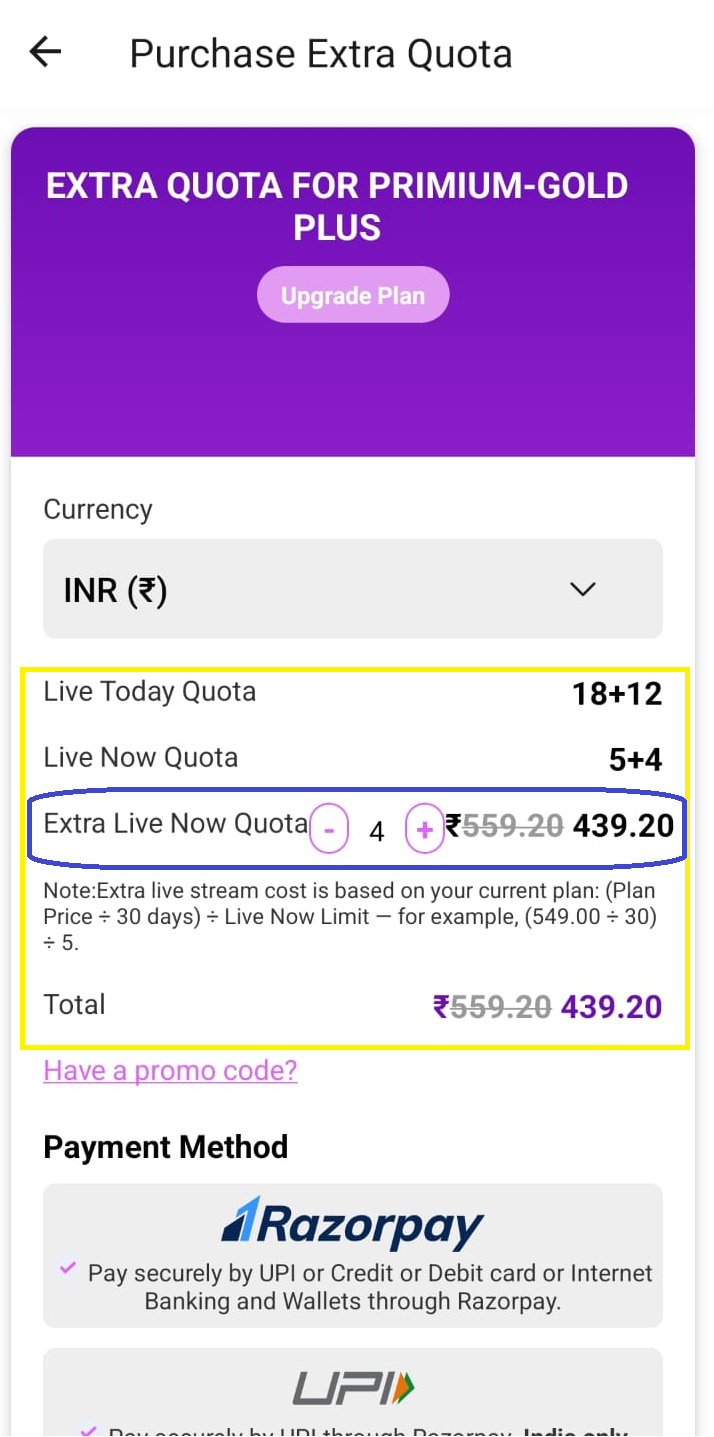
Step 5: Complete the payment
Choose a secure payment method:
Razorpay
Stripe
PayPal
UPI
Once the payment is confirmed, your live quota will be upgraded immediately.
Step 6: Start streaming without any limits
That's it! Your live quota has increased, and you are ready to stream more events, webinars, and broadcasts on GoLiveIndia without any interruptions.
Watch the tutorial video:-
For detailed information, watch our step-by-step video guide on how to upgrade your live quota in GoLiveIndia.