Wednesday, November 25, 2026

A One-Page Password Sharing Policy for Small Teams
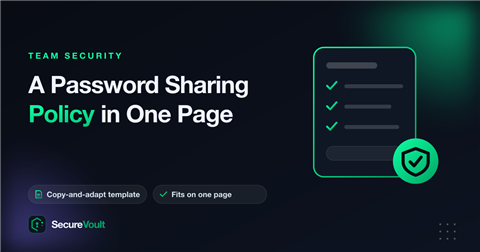
Most small teams have no written rule about sharing passwords. People do what is quick, and the quick way is a chat message. A one-page policy will not fix everything, but it gives everyone the same answer to “how do I send this login?” and makes the safer method the default. Here is a template you can copy and adapt.
What a good policy does
- Says plainly what is and is not allowed.
- Names the approved way to share a credential.
- Gives every shared login an owner.
- Covers what happens when people join, change roles or leave.
- Fits on one page, so people actually read it.
The template
1. Purpose
This policy explains how we share logins, keys and other secrets so that they stay out of email, chat and tickets, and so we can always tell who has access to what.
2. Rules
- Use individual accounts wherever a service allows them. Share a login only when there is no alternative.
- Never send a password, key or code in email, chat, text message or a support ticket.
- Share secrets through a one-time link that shows the secret once and then deletes it. Use a short expiry.
- For sensitive access, add a passphrase and give it through a different channel, such as a phone call.
- Store passwords in the approved password manager. Do not keep them in spreadsheets, notes or documents.
- Use two-factor sign-in on every account that supports it.
- Do not pass a shared login on to anyone else, including contractors, without the owner’s approval.
3. Ownership
- Every shared login has a named owner, recorded in the access list.
- The owner decides who may have access and is responsible for changing the password when needed.
- The access list shows the account, the owner, who has access and the date of the last change.
4. Joining, moving and leaving
- New starters receive access to what their role needs and nothing more.
- When someone changes role, their access is reviewed.
- When someone leaves, the owner changes every shared password they knew, on or before their last day.
- Contractors get access for a stated period, and it is removed when the work ends.
5. When something goes wrong
- If a secret is sent in the wrong place, report it straight away. Nobody is blamed for reporting.
- The owner changes the password immediately and checks recent activity.
- Delete the message where possible, but treat the secret as exposed regardless.
6. Review
The access list is reviewed every six months, and after any incident.
Making it stick
- Put the one-time-link step into onboarding on day one.
- Make the approved tools easy to reach, such as a bookmark in the team channel.
- Keep the tone helpful. People follow rules that save them time.
- Lead by example: managers should use the same method.
- Update the page after any incident, so it improves.
Adapting it to your team
- A team of five may need only sections 2 and 4. Add the rest as you grow.
- If you handle customer data or work to a standard, add the required controls and keep a dated copy.
- Replace “approved password manager” with the tool you actually use.
Frequently asked questions
Do small teams really need a password policy?
A short one helps. It stops each person inventing their own method and gives you something concrete to point to when a mistake happens.
How long should a password policy be?
One page is plenty to start. Long documents are rarely read, and rules that are not read are not followed.
What is the approved way to share a password?
A one-time link that shows the password once and then deletes it, with a passphrase for sensitive access, sent through a different channel.
Do we need an account to create a one-time link?
No. A one-off text secret does not need an account. Passphrases, view limits and longer expiry are available when you create secrets while signed in.
Give the policy a tool that fits it
A rule is easier to follow when the safe route is the quick one. By default, SecureVoult shows a secret once and then deletes it, so nothing is left behind in email, chat or tickets.
Keep reading: