Wednesday, November 25, 2026

How to Recover an Expired File Transfer Link
You shared a file, the recipient got busy, and by the time they clicked the link it said “expired.” Now what? The good news: on most services, an expired link doesn't mean the file is gone immediately there's usually a window to bring it back before it's permanently deleted. Here's how that works, and how much time you actually have.
Why links expire at all
Expiry isn't a limitation for its own sake it's a privacy feature. A link that stays live forever is a link that can leak, get indexed, or sit around as a liability long after you needed it shared. Setting an expiry date is one of the simplest ways to keep a shared file from outliving its purpose. The tradeoff is that sometimes a recipient is late, and the link expires before they get to it.
How to recover an expired link on Letshareit
When a link expires, the file isn't deleted right away. There's a grace period where the file still exists in storage and can be revived:
- Sign in and go to your dashboard.
- Open the Expired tab to find the file.
- Select the file and choose to extend its expiry.
- Set a new expiry window. The link becomes active again immediately, using the same URL you don't need to re-upload or re-share a new link.
This is available on paid plans (Basic and Pro). On the free plan, once a link expires you'll need to upload the file again.
How much time do you actually have?
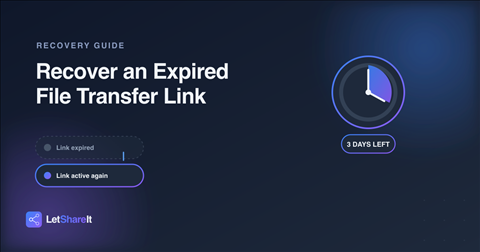
This is the part most services are vague about. On Letshareit, the answer is specific: you have 3 days after a link expires to recover it. After that, the file is permanently deleted from storage and can't be brought back, on any plan. If you notice a link expired, don't wait recover it the same day if you can.
How to avoid losing files to an expired link
- Set a realistic expiry. If you're not sure when someone will get to downloading a file, choose 7 or 30 days instead of 1. You can always let a link expire early by deleting it yourself.
- Watch for expiry warnings. You'll get a heads-up before a link expires, giving you a chance to extend it in advance instead of recovering it after the fact.
- Use never-expiring links for ongoing shares. On Pro, you can set a link to never expire useful for resources you'll keep sharing over time, like a portfolio or a standing set of documents.
- Re-share promptly. If a link does expire and you're on the free plan, the fastest fix is simply uploading again and sending a fresh link.
What if the file was already deleted?
Past the 3-day window, the file is gone the same way any deleted file is gone there's no way to restore it from Letshareit's side. If you still have the original file on your device, the fix is the same as any other transfer: upload it again and share the new link.
The bottom line
An expired link isn't always a dead end on a paid plan, you have 3 days to bring it back to life with the same URL. The best fix, though, is avoiding the scramble altogether: set an expiry that matches how long you actually expect the download to take, and extend it ahead of time if a recipient needs more room. See Letshareit's plans to check which one fits how you share files.