Friday, October 23, 2026

How to Add Your Facebook Account in GoliveIndia

If you want to connect your Facebook account with GoLiveIndia for live streaming on your profile or page, please follow the steps below:
Step 1: Open GoLiveIndia
Open the GoLiveIndia app or visit the GoLiveIndia website.
Step 2: Go to Your Profile
Log in to your GoLiveIndia account and navigate to your Profile section.
Step 3: Click on “Linked Accounts”
In your profile menu, select the “Linked Accounts” option.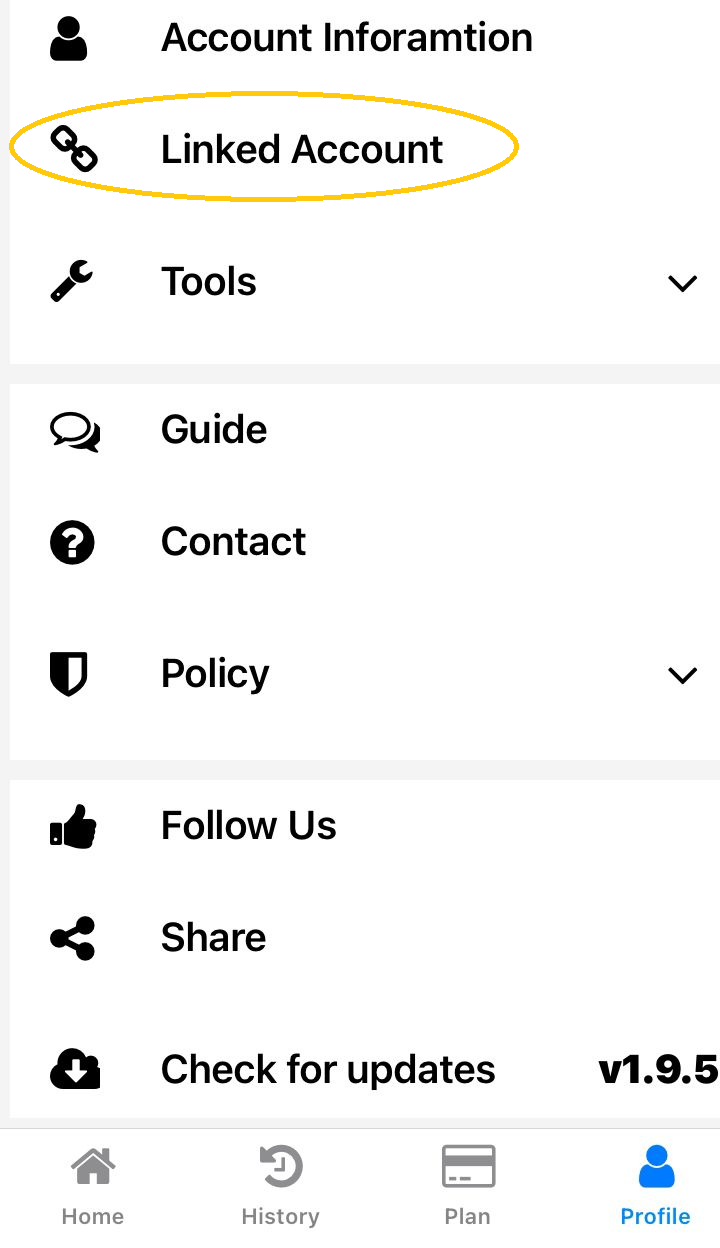
Step 4: Select “Facebook”
Click on the Facebook option to start the account linking process..png)
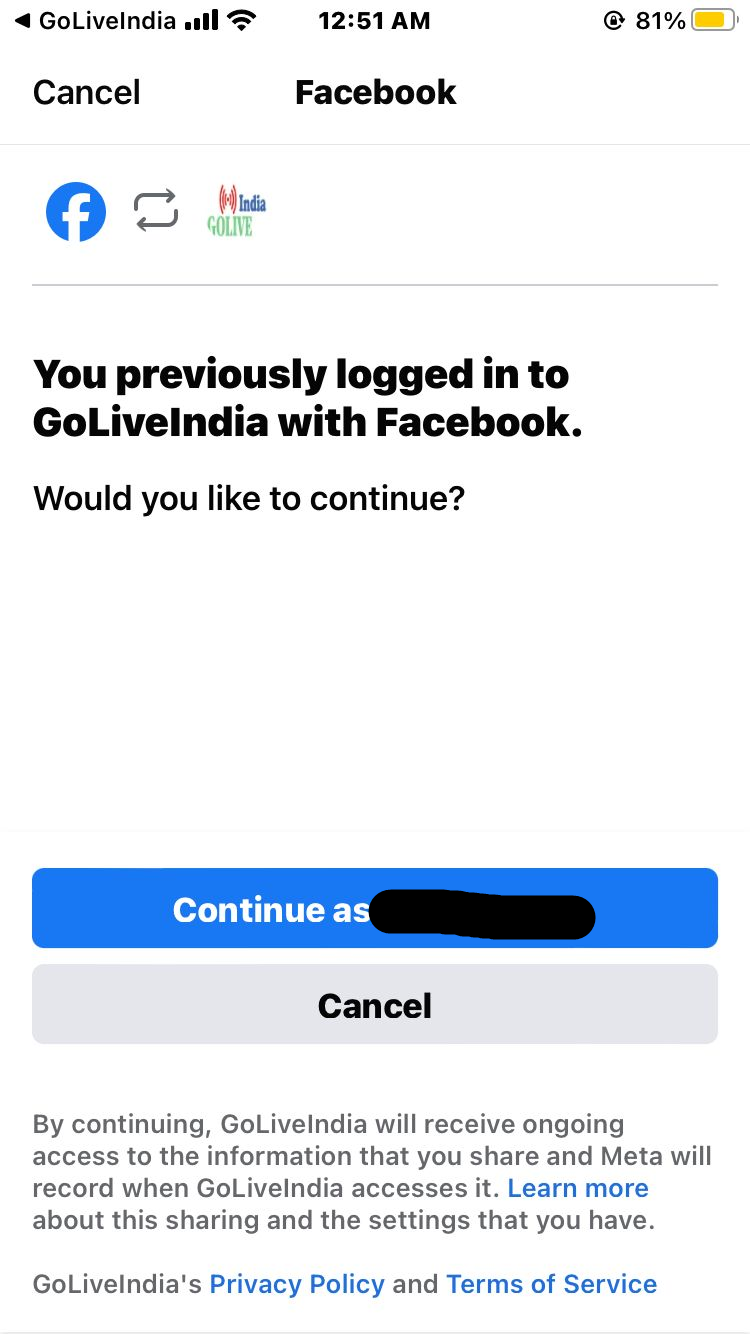
Step 5: Authorize Facebook for Live Streaming
When prompted, log in to your Facebook account and grant the necessary permissions to GoLive India.
Note: GoLiveIndia is a Facebook-verified application. It only requests the minimal permissions required to stream live to your Facebook profile or page.
Before granting access, we recommend reviewing the GoLiveIndia Privacy Policy and Terms of Service.
Once your account is linked, you can start going live on your Facebook profile or page directly from GoLiveIndia.
Need help going live on Facebook? Read our full guide:
How to Go Live on Facebook with GoLiveIndia →