Friday, October 23, 2026

How to Go Live on Vimeo Using GoliveIndia
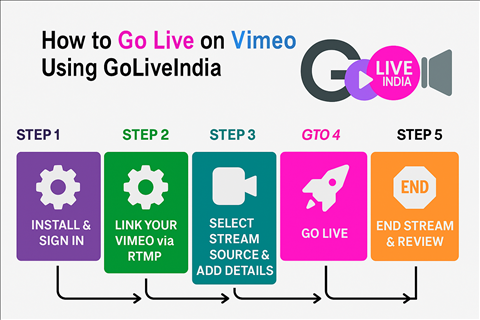
How to Go Live on Vimeo Using GoLiveIndia: The Ultimate Guide for Creators ; Professionals
Live streaming is now one of the most powerful ways to connect with your audience, whether you're a content creator, educator, business owner, or spiritual leader. Vimeo is a premium platform that supports professional-quality live broadcasts—but setting up live streams on Vimeo can often be complex.
That’s where GoLiveIndia comes in.
GoLiveIndia simplifies the entire process of live streaming to Vimeo, allowing you to go live using just your mobile phone. No OBS, no confusing settings, and no expensive encoders required.
In this step-by-step guide, you’ll learn how to set up a live stream on Vimeo using GoLiveIndia and why this mobile app is the perfect tool for hassle-free RTMP streaming.
What is Vimeo Live Streaming?
Vimeo Live is a premium live video solution offered by Vimeo, popular among creators, businesses, and event professionals. It offers:
High-quality live streaming in Full HD
Password-protected broadcasts
Custom branding and white-label player
Viewer analytics and engagement tools
However, to go live on Vimeo, you typically need a compatible RTMP encoder like OBS Studio or Wirecast.
Why Use GoLiveIndia for Vimeo Live Streaming?
GoLiveIndia provides a simple and intuitive way to live stream to Vimeo via RTMP, directly from your Android or iOS device. Here's why thousands of users are choosing GoLiveIndia for their Vimeo live streams:
RTMP Compatibility
You can stream to any RTMP-compatible destination, including Vimeo, by simply pasting your RTMP URL and Stream Key inside the GoLiveIndia app.
Mobile Live Streaming Made Easy
Unlike traditional software like OBS, GoLiveIndia is designed for mobile. That means:
No complex scene configuration
No external devices needed
Just upload or record and go live
Upload and Stream Pre-recorded Videos as Live
Use GoLiveIndia to stream downloaded videos, motivational speeches, educational content, or product videos as if they were live—perfect for evergreen content and scheduled promotions.
Live Camera Streaming
Stream live in real-time using your mobile’s front or rear camera. Ideal for events, classes, Q ;A sessions, or spiritual discourses.
Loop Videos for 24/7 Streaming
Planning to run your content continuously? GoLiveIndia allows you to loop videos infinitely—perfect for virtual showrooms, online radio, or devotional channels.
Multiple Resolution Options
Stream in 480p, 720p, or 1080p Full HD based on your internet speed and audience preferences.
Easy Monitoring and Control
Pause, stop, or check the status of your Vimeo stream directly from the GoLiveIndia dashboard—no juggling between platforms.
Step-by-Step Guide: How to Go Live on Vimeo with GoLiveIndia
Step 1: Get Your Vimeo RTMP Stream Key
Log in to your Vimeo Premium or Enterprise account.
Navigate to Live Events and click Create Live Event.
.jpeg)
.jpeg)
.jpeg)
.jpeg)
.jpeg)
Choose RTMP (Custom) Setup and copy the RTMP Server URL and Stream Key.
.png)
Tip: Vimeo requires a paid plan to unlock live streaming features. Learn more at Vimeo Live Pricing.
Step 2: Download ; Install GoLiveIndia
Get the official GoLiveIndia Live Streaming App:
Create an account or sign in using Google, Facebook, Apple, or Email.
Step 3: Add Vimeo RTMP Details
Go to New Stream
Select RTMP Stream
FOR WEBSITE USERS:-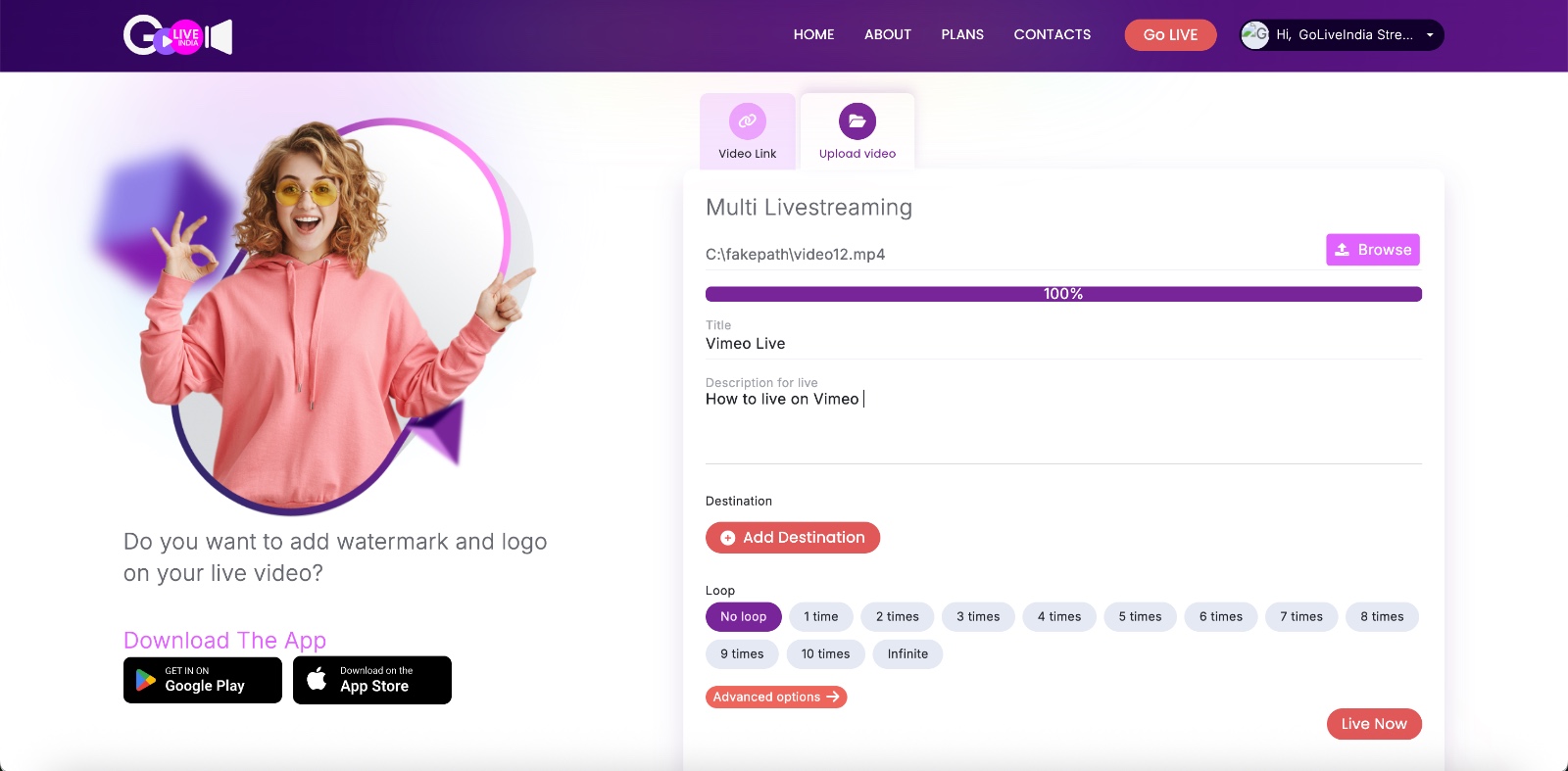
.jpeg)
FOR APP USERS:-
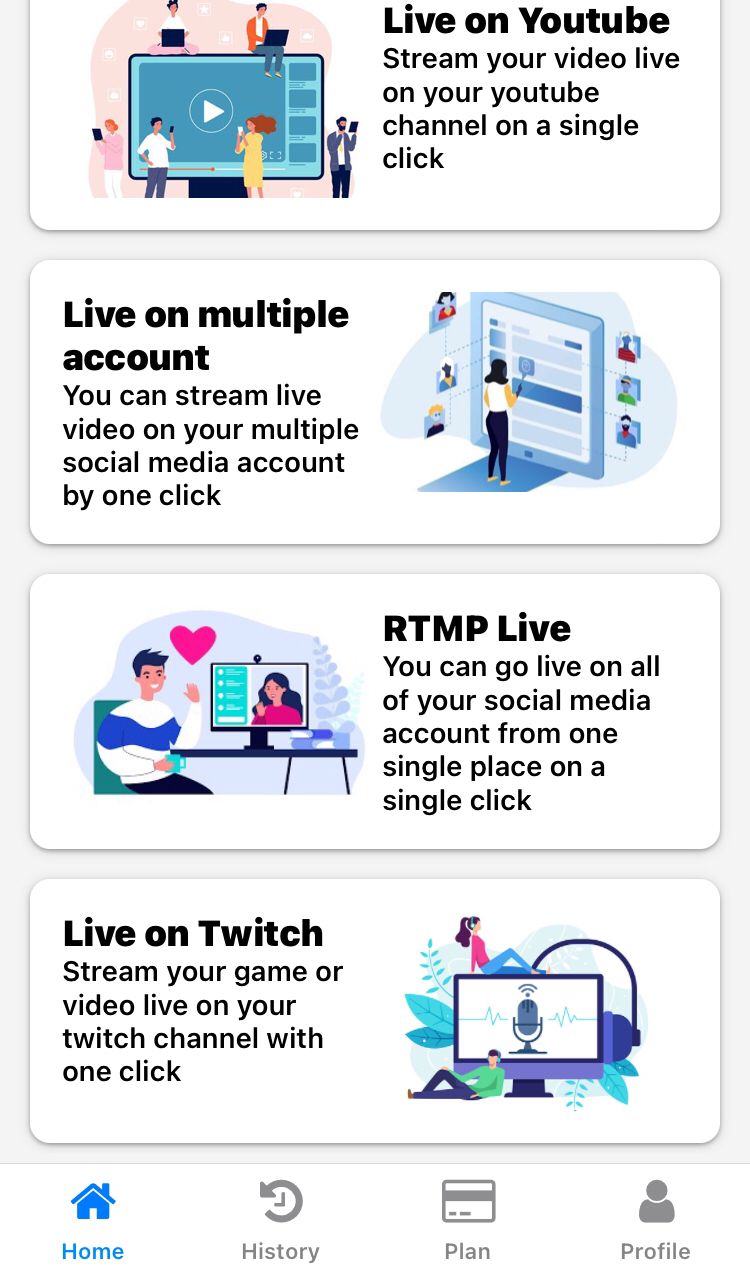
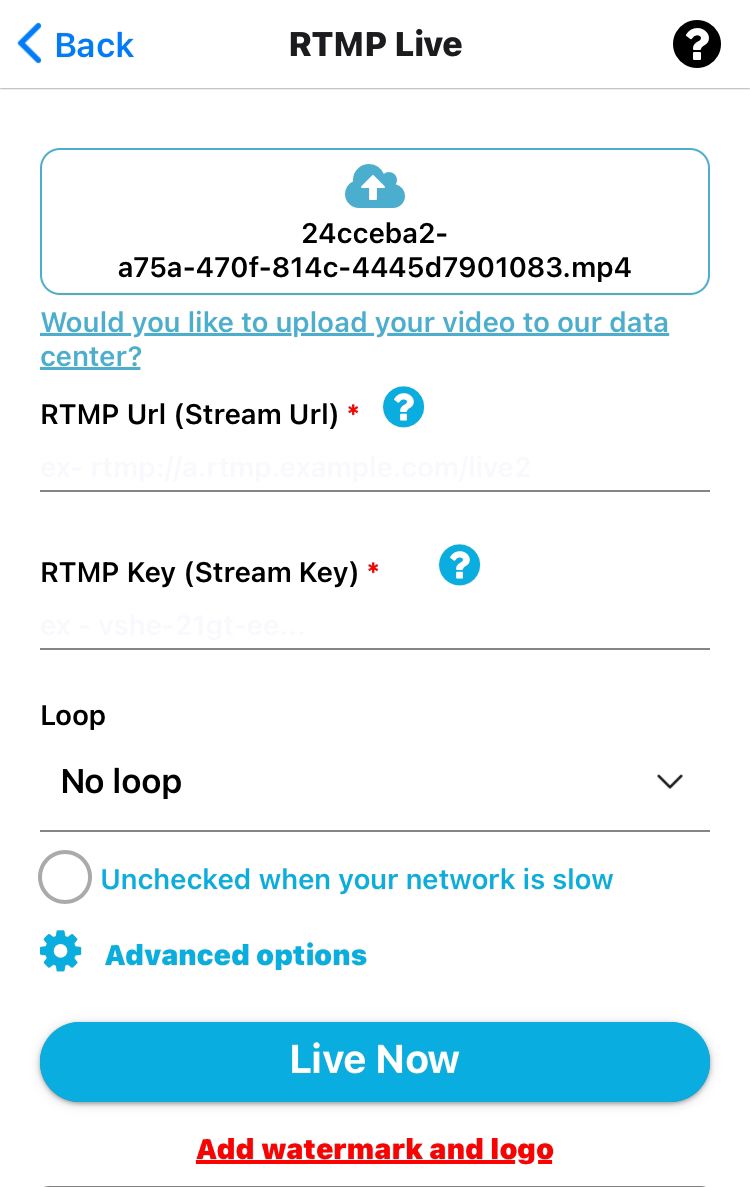
Paste the Vimeo RTMP URL and Stream Key
Set your video title, description, and privacy options
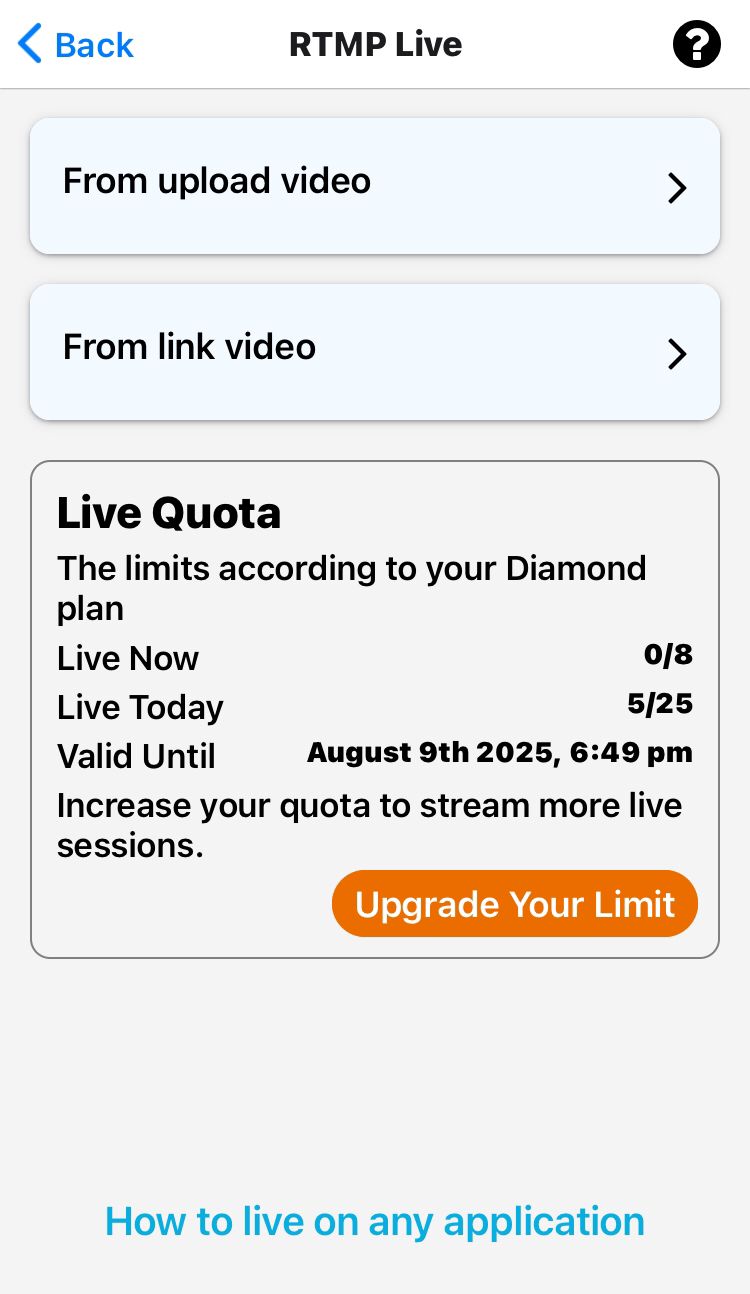
Step 4: Choose What You Want to Stream
Upload a Video from your mobile gallery
Paste a Video Link (e.g., Dropbox or Google Drive URL)
Use Mobile Camera to stream live in real-time
Step 5: Customize Stream Settings
Select Resolution (480p, 720p, 1080p)
Choose Loop Count if you're streaming a video
Set a Start Time if you're scheduling your stream
Step 6: Go Live!
Hit the "Live Now" button and GoLiveIndia will start streaming your content directly to Vimeo..png)
You’re live in just a few taps—without ever opening OBS or a browser!
Frequently Asked Questions (FAQs)
Q1. Do I need OBS to go live on Vimeo using GoLiveIndia?
No. GoLiveIndia replaces OBS and lets you stream directly via RTMP using your mobile.
Q2. Is Vimeo live streaming free?
Vimeo Live is only available on paid plans. You need a Vimeo Premium or higher account to get RTMP access.
Q3. Can I stream pre-recorded videos as live on Vimeo?
Yes. GoLiveIndia allows you to upload any video and stream it live on Vimeo.
Q4. Can I go live on multiple platforms?
Yes, GoLiveIndia supports multi-streaming. You can stream to Vimeo, Facebook, YouTube, Twitch, and more simultaneously.
Q5. Is there a time limit for streaming on Vimeo with GoLiveIndia?
Free plans on GoLiveIndia may have limits. Upgrade to a premium plan for unlimited video duration and advanced features.
Related Blog Posts You May Like
HOW TO LIVE ON YOUTUBE WITH GOLIVEINDIA
HOW TO LIVE ON FACEBOOK WITH GOLIVEINDIA
HOW TO LIVE ON YOUTUBE USING RTMP WITH GOLIVEINDIA
HOW TO LIVE ON FACEBOOK USING RTMP WITH GOLIVEINDIA
HOW TO LIVE ON INSTAGRAM WITH GOLIVEINDIA
HOW TO LIVE ON TELEGRAM WITH GOLIVEINDIA
HOW TO LIVE ON X WITH GOLIVEINDIA
HOW TO LIVE ON LINKEDIN WITH GOLIVEINDIA