Friday, October 23, 2026

How to Live on Amazon IVS with Goliveindia
How to Add Amazon IVS to GoLiveIndia for Seamless Live Streaming
Amazon Interactive Video Service (IVS) is a scalable and low-latency live streaming solution offered by Amazon Web Services (AWS). With GoLiveIndia, you can stream directly to Amazon IVS using Custom RTMP, enabling high-quality broadcasting to your audience with minimal setup.
In this step-by-step guide, we’ll show you how to integrate Amazon IVS with GoLiveIndia and start streaming in just a few minutes.
Why Stream to Amazon IVS Using GoLiveIndia?
GoLiveIndia allows you to live stream your pre-recorded videos, direct camera feeds, or URLs to multiple platforms at once—including Amazon IVS via RTMP. Here's why GoLiveIndia is the best option:
Easy RTMP Integration without needing advanced technical knowledge
Multi-streaming capabilities to Twitch, YouTube, Facebook, Amazon IVS, and more
Mobile-friendly platform with flexible scheduling and video looping
No need for OBS or external encoder setup
Seamless video quality control, including resolution, looping, and bitrate management
Step-by-Step: How to Stream to Amazon IVS from GoLiveIndia
Step 1: Create an Amazon IVS Channel
Sign in to your Amazon AWS account.
Navigate to Amazon IVS (Interactive Video Service).
Click Channels and then select Create Channel.
Name your channel and choose the configuration:
We recommend Default configuration for general use.
For custom settings, choose:
Channel Type: Standard (for 1080p Full HD)
Latency Mode: Low-latency or Ultra-low latency
Scroll to the bottom and click Create Channel.
Step 2: Copy Your Amazon IVS RTMP Details
Once your channel is created:
Go to your newly created channel.
In the General Configuration section, copy:
Ingest Server URL (RTMP URL)
Stream Key
These credentials will be used to connect your IVS channel with GoLiveIndia.
Step 3: Add Amazon IVS in GoLiveIndia
Now, open your GoLiveIndia app or visit goliveindia.in:
Go to your GoLiveIndia dashboard.
Navigate to Linked Accounts or Destinations.
Click Add Platform and select Custom RTMP.
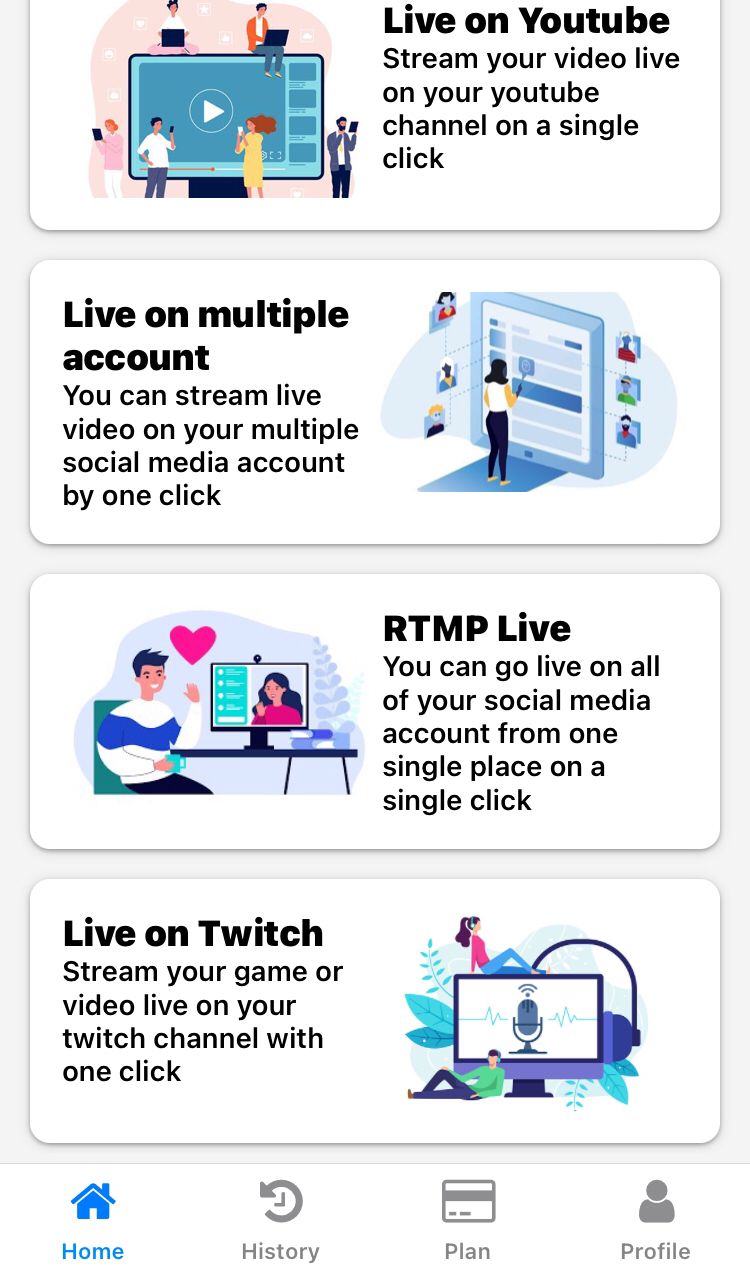
Paste the RTMP URL and Stream Key you copied from Amazon IVS.
Give it a recognizable name like “Amazon IVS” and click Save.
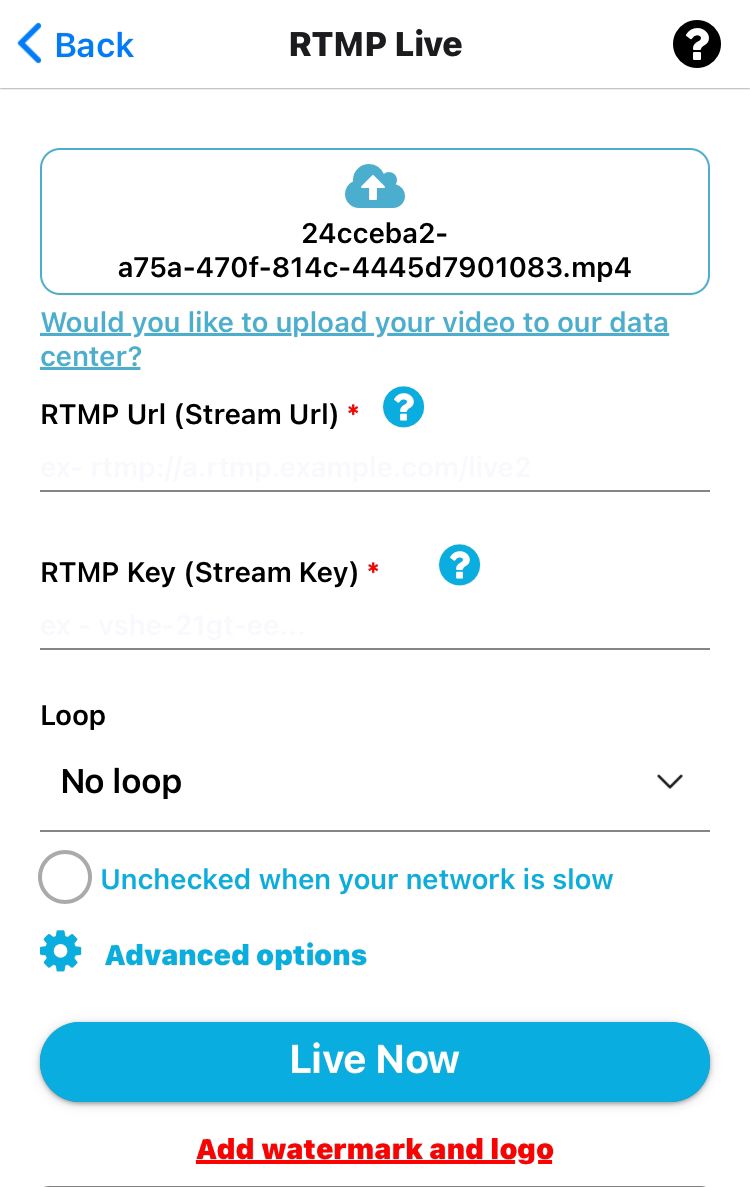
Step 4: Start Streaming to Amazon IVS from GoLiveIndia
You’re now ready to broadcast.
Click Create Stream on GoLiveIndia.
Choose your streaming type:
Upload a pre-recorded video
Enter a video link (YouTube, Dropbox, etc.)
Use your camera for live streaming
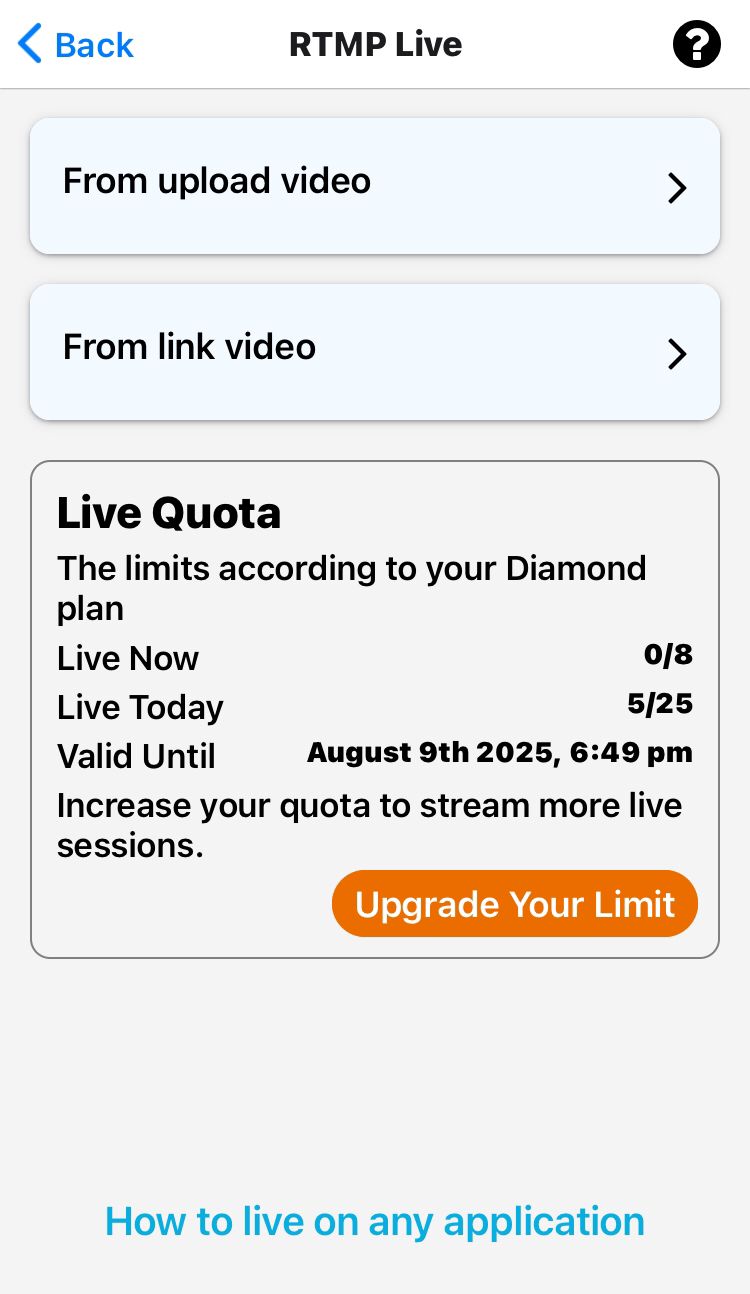
Select Amazon IVS from your connected platforms.
Configure your settings:
Resolution: 480p / 720p / 1080p
Bitrate (CBR): 1500 – 8500 Kbps
Looping (if streaming a video)
Click Go Live.
Your stream will now be live on your Amazon IVS channel.
Video and Audio Settings Recommended for Amazon IVS
To ensure high-quality streaming, use the following encoding settings in GoLiveIndia:
Video:
Codec: H.264
Resolution: 480p, 720p, or 1080p
Bitrate: 1,500–8,500 Kbps
Frame Rate: 30 or 60 FPS
Rate Control: CBR (Constant Bitrate)
Keyframe Interval: 2 seconds
Audio:
Codec: AAC (LC)
Bitrate: 96 Kbps to 320 Kbps
Sample Rate: 44.1 kHz or 48 kHz
Channels: Stereo (2 channels)
Requirements
An active Amazon AWS account with IVS enabled
A GoLiveIndia account (free or premium)
Custom RTMP support, available in all GoLiveIndia plans
A stable internet connection for optimal stream delivery
Limitations to Note
Analytics and chat features of GoLiveIndia are limited with Custom RTMP (including Amazon IVS).
Stream scheduling features are available, but real-time viewer tracking is not supported for IVS directly inside GoLiveIndia.
Amazon IVS requires separate embed setup if you're integrating it with your website or mobile app.
HOW TO LIVE ON YOUTUBE WITH GOLIVEINDIA
HOW TO LIVE ON FACEBOOK WITH GOLIVEINDIA
HOW TO LIVE ON YOUTUBE USING RTMP WITH GOLIVEINDIA
HOW TO LIVE ON FACEBOOK USING RTMP WITH GOLIVEINDIA
HOW TO LIVE ON INSTAGRAM WITH GOLIVEINDIA
HOW TO LIVE ON TELEGRAM WITH GOLIVEINDIA
HOW TO LIVE ON X WITH GOLIVEINDIA
HOW TO LIVE ON LINKEDIN WITH GOLIVEINDIA