Friday, October 23, 2026

How to Save Your Own Instagram Reels and Posts
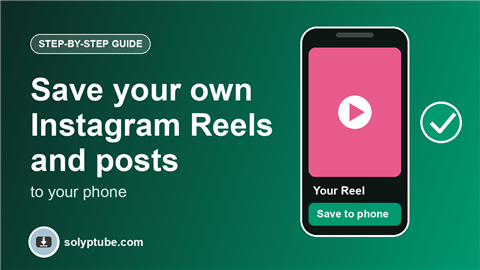
You posted a Reel or a photo on Instagram and now you want a copy on your phone. Maybe the original video is gone from your gallery, or you want to keep your best posts safe in case something happens to your account. This guide shows the ways to save your own Reels and posts, from one item to your whole account.
These steps are for content that you made and posted yourself. Only save other people's content if you have their permission.
Which way is right for you?
- One Reel or post: use the download or save option on the item.
- Every new post from now on: turn on the setting that saves a copy to your phone when you post.
- Everything you ever posted: request a full copy of your data.
Save one Reel or post of your own
- Open Instagram and go to your profile.
- Open the Reel or post you want to keep.
- Tap the three dots (or the share icon on a Reel).
- Look for Download, Save to device or a similar option, and tap it.
- Open your photo gallery or camera roll and check that the video or photo is there.
If you do not see a download option, it may not be available for that item, your account or your country. Use one of the other ways below.
Save a copy of every new post automatically
Instagram has a setting that can save a copy of your photos and videos to your phone when you post them. To find it, open your profile, tap the menu, open Settings and look for the options about saving original photos or posts, or your archive and downloads. Turn it on, and each new post is also kept on your phone.
This only works for posts you make after you turn it on. For older posts, use the first way above, or request a full copy.
Save a Reel before you post it
If you are editing a Reel, you can often save the video to your phone before you post it. Look for a download or save icon in the editing screen. This is the easiest way to keep the original with its edits and music.
Request a copy of all your posts
To keep everything, ask Instagram for a copy of your data. It includes your photos, videos, Reels and Stories, and it comes as one download. Our guide shows how: how to download your Instagram data.
Archive instead of delete
If you want a post off your profile but not gone forever, use Archive instead of delete. An archived post stays in your account, only you can see it, and you can show it again later. Archive is not a backup, so keep a copy on your phone as well.
Where did my saved file go?
- iPhone: open Photos and check Recents or the Videos album.
- Android: open your gallery or the Files app and look in the Downloads or Instagram folder.
- If you cannot find it, check that Instagram is allowed to save to Photos or Storage in your phone's settings.
Keep your copies safe
- Back up your phone gallery to a cloud service or to a computer.
- Keep the original video files of your Reels when you can, because they have better quality than a downloaded copy.
- Do not post a saved copy again as if it were new, if it uses music you do not have the right to reuse.
Also posting on Snapchat? See how to save your own Snapchat Story or Spotlight. On Facebook too? See how to download your Facebook data and videos.
Frequently asked questions
How do I save my own Instagram Reel to my phone?
Open your Reel, tap the three dots or the share icon and choose the download or save option. If you do not see it, turn on the setting that saves a copy when you post, or request a copy of your data.
Why is there no download option on my Reel?
It depends on the app version, your account and your country. Some Reels, such as ones that use certain licensed music, may not show it. You can still keep a copy by requesting your data from Instagram.
Does the saved video have a watermark?
It can, depending on how it was saved. The copy that you save while you edit, or the file from your data download, is usually the cleanest. Check the result on your phone.
Will my saved Reels be lost if my account is deleted?
Copies on your phone stay there. Posts on Instagram are removed with the account, so save what matters first.
Can I save other people's Reels this way?
These steps are for your own content. Other people's posts belong to them, so ask for their permission before you save or reuse them.