Friday, October 23, 2026

How to Share a YouTube Video as a WhatsApp Status
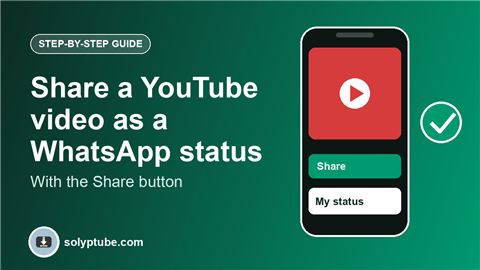
Many people want to put a YouTube video on their WhatsApp status. The simple, official way is to share the video link with the Share button. Your contacts see a preview of the video and can tap it to watch on YouTube. This guide shows the steps on Android and iPhone, and what to do when it does not work.
This guide uses only the Share feature that YouTube and WhatsApp provide. It does not copy the video file.
Which way is right for you?
- Share the YouTube link as a status: use the Share button in YouTube.
- Post your own video file as a status: if the video is yours, see how to download your own YouTube videos and post it from your gallery.
Share a YouTube video on your WhatsApp status
- Open the YouTube app and play the video you want to share.
- Tap Share under the video.
- In the share options, choose WhatsApp.
- If you see My status in the list, choose it and tap Send. If you do not see it, go to the next section.
- Your status is posted with the video link and preview.
If there is no status option in the Share list
You can still add the link yourself:
- In YouTube, tap Share, then Copy link.
- Open WhatsApp and go to the Updates tab (or Status on older versions).
- Tap the pencil icon to add a text status.
- Paste the link, then tap Send.
Add a start time to the link
If you want your contacts to start at a certain moment, pause the video at that point and tap Share. Some versions of the app let you tick Start at before you copy the link. Contacts who tap the link will start from there.
Who can see it, and for how long
- A WhatsApp status stays for 24 hours.
- You choose who sees it in WhatsApp's status privacy settings.
- Your contacts must tap the link to watch. The video plays on YouTube, not inside WhatsApp.
Fixes if sharing does not work
- Update both YouTube and WhatsApp.
- Check that WhatsApp is allowed to appear in the share list, and restart the phone.
- Use Copy link and paste it as a text status.
- If the preview does not show, wait a few seconds after you paste the link, before you send.
Want to keep YouTube videos for watching without internet? See how to watch YouTube videos offline.
Frequently asked questions
How do I put a YouTube video on my WhatsApp status?
Open the video in YouTube, tap Share, choose WhatsApp and then My status if it is shown. Otherwise copy the link and paste it into a text status.
Will the video play inside my WhatsApp status?
No. The status shows the link and preview. Your contacts tap it to watch on YouTube.
Why is the preview not showing?
The preview may take a moment to load. Wait a few seconds after pasting the link, then send. Make sure you have a good connection.
Can I post a video from my own channel as a normal video status?
Yes, if it is your own video. Download it from YouTube Studio with the steps in our guide, then post it from your gallery. Status videos have a length limit, so you may need to trim them.
Is sharing a link allowed?
Yes. Sharing a link with the Share button is a normal feature of YouTube and WhatsApp.