Friday, October 23, 2026

How to Use a Promo Code on GoliveIndia
How to Use a Promo Code on GoLiveIndia – Quick Guide
GoLiveIndia is a popular platform for professional live streaming across multiple social media channels. If you’ve received a promo code—such as a discount or special offer—you can easily apply it during the purchase process to get instant savings on your subscription plan.
Step 1: Visit the GoLiveIndia Website
Start by going to the official website: www.goliveindia.in
You can also directly download the app if you’re on mobile(Android or iPhone/iPad) Download
Step 2: Choose a Plan
Click on the “Buy Plan” section.
FOR WEB USER:-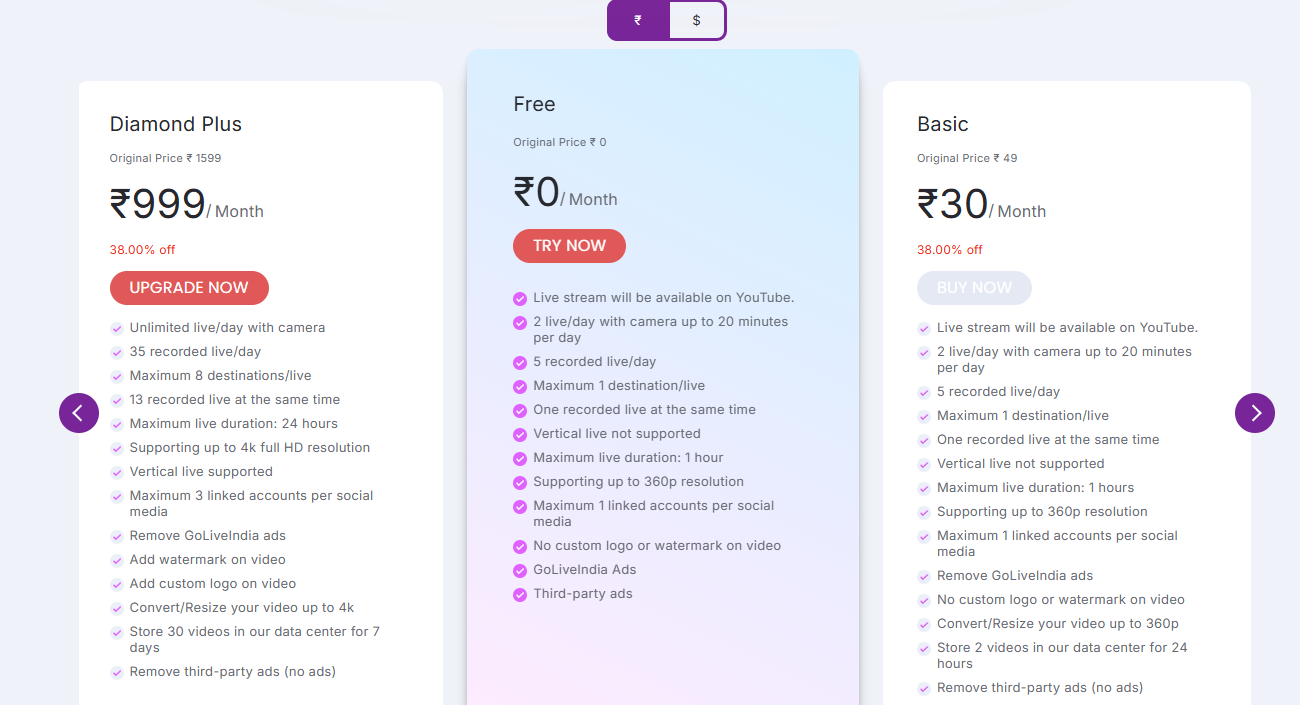
FOR APP USERS:-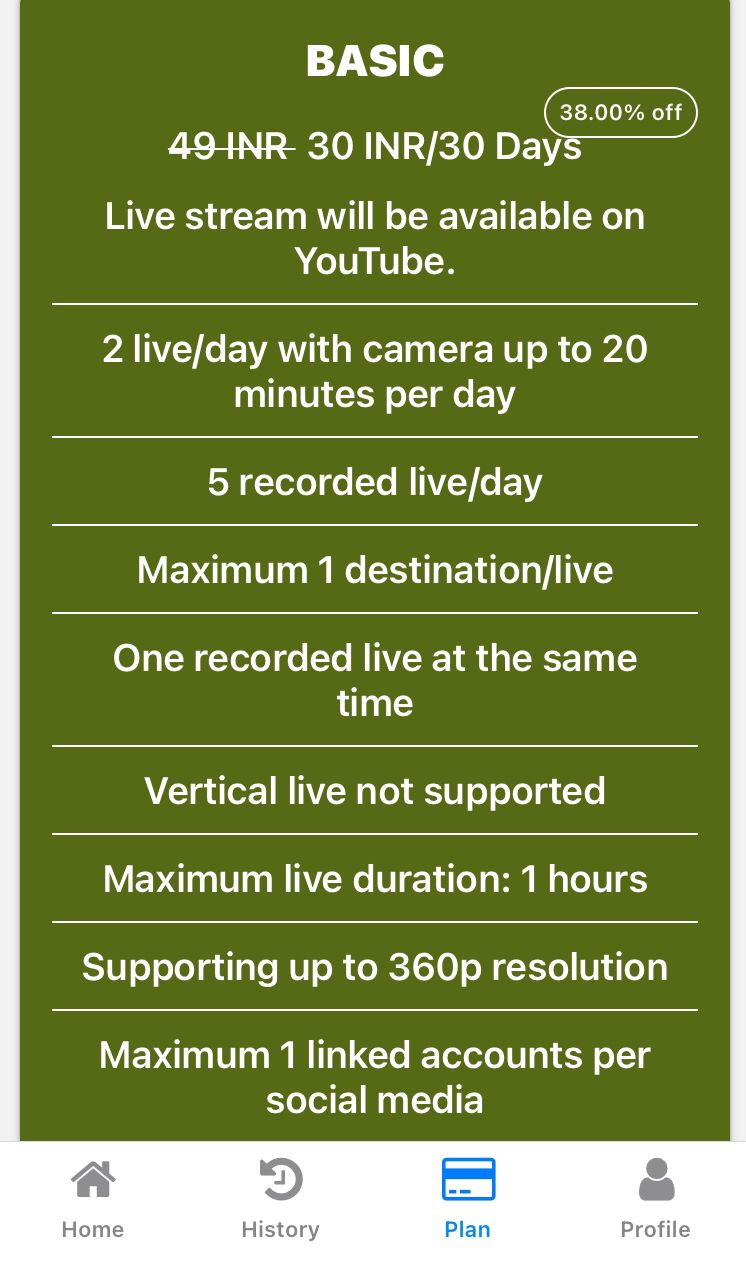
Review the available subscription plans (Monthly, Quarterly, Yearly, etc.).
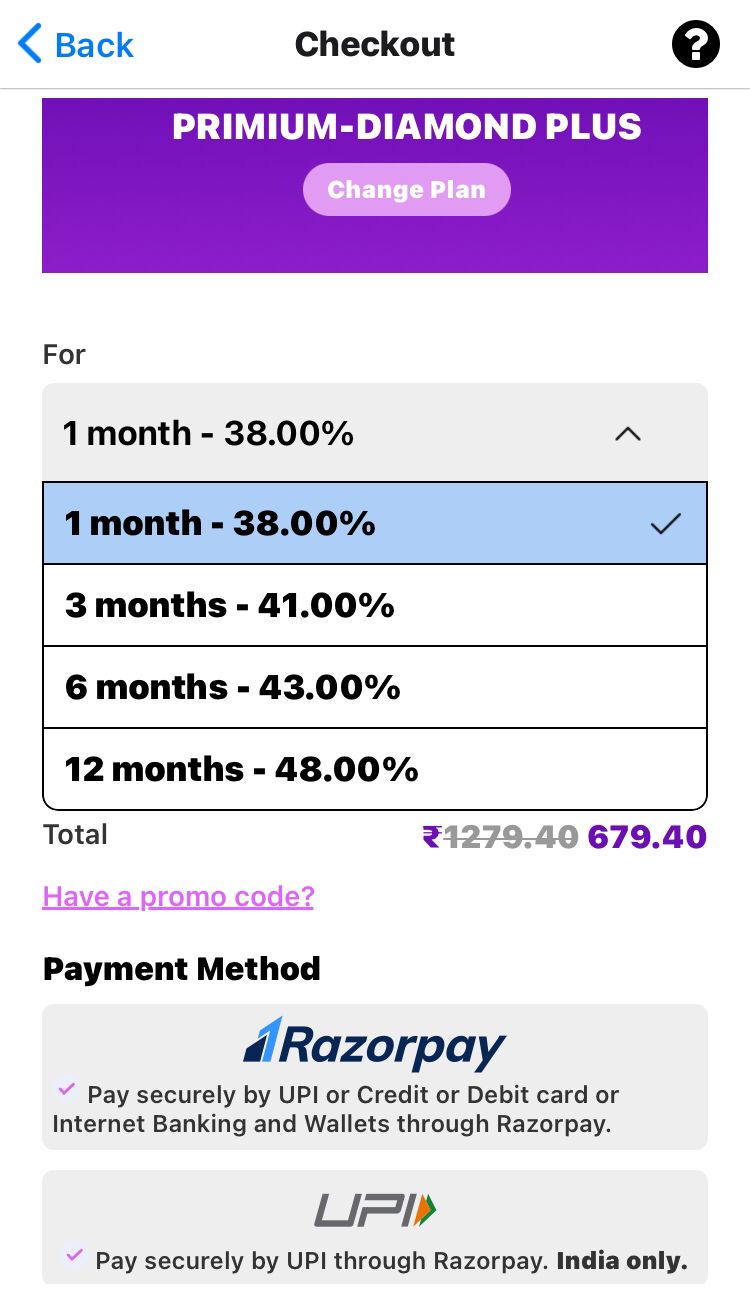
Click on “Buy Now” for the plan that suits your needs.
Step 3: Apply the Promo Code
On the checkout or payment page, look for the “Have a Promo Code?” field.
Enter your promo code (for example: FIRST100 for 15% off).
Click on “Apply” to activate the discount.
FOR WEB USER:-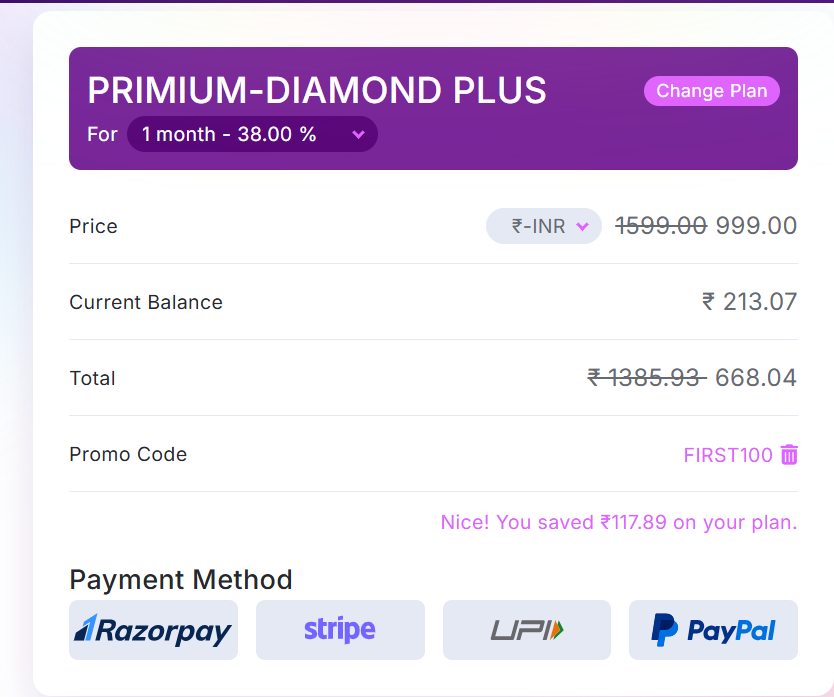
FOR APP USER:-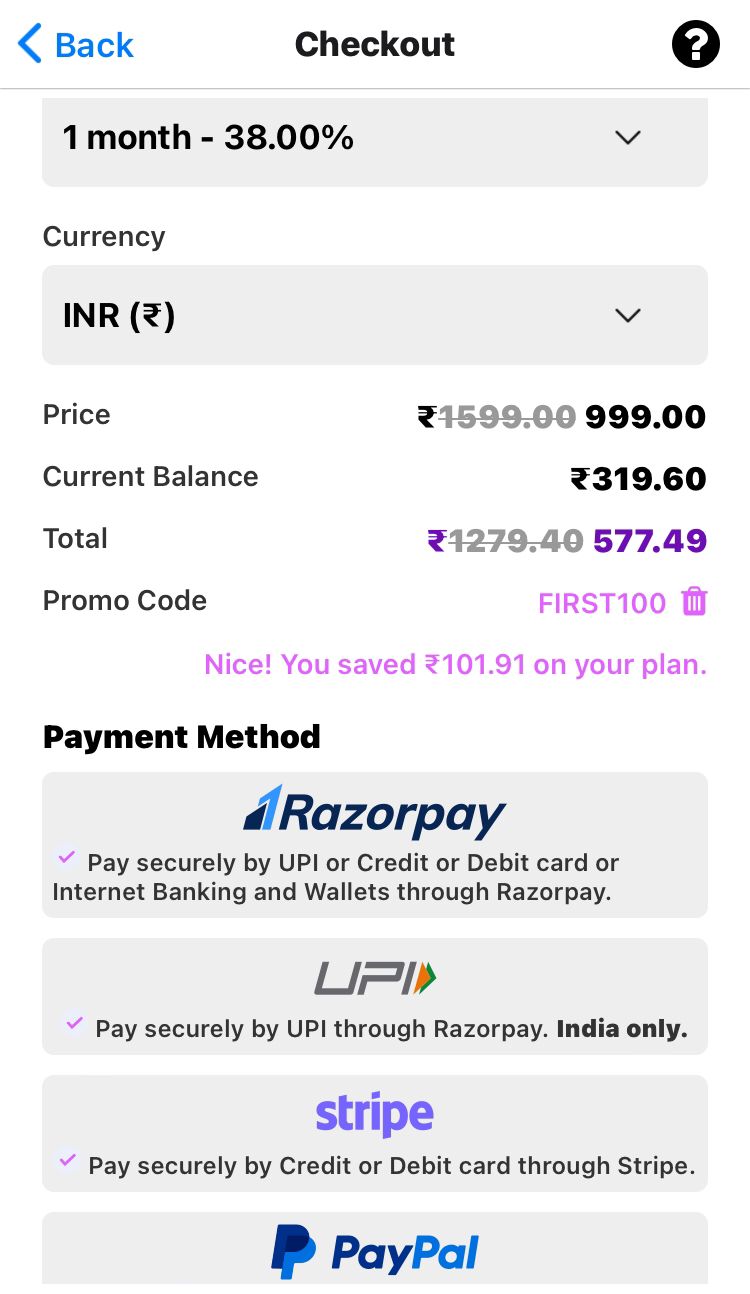
Once applied, the discount will automatically reduce the total amount you need to pay.
Step 4: Complete the Payment
After applying the promo code, proceed with your payment using your preferred method (UPI, card, net banking, etc.).
Once the transaction is successful, your plan will be activated instantly.
FAQ – Frequently Asked Questions
Q1. Can I use more than one promo code at a time?
No. GoLiveIndia allows only one promo code per purchase.
Q2. Why is my promo code not working?
Check the code’s validity date, spelling, and eligibility (some are for first-time users or specific plans only).
Q3. Can I apply the promo code after payment?
No. Promo codes must be applied before completing the payment.
Q4. Where can I find current GoLiveIndia promo codes?
Promo codes are often shared via GoLiveIndia’s official social media pages or Broadcast channel…