Friday, October 23, 2026

How to Watch YouTube Videos Offline
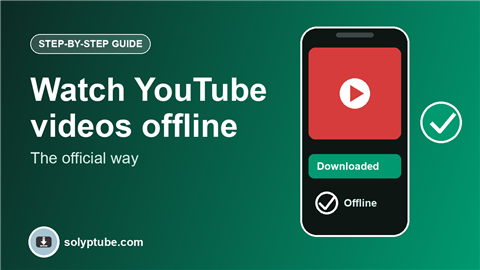
Flying, travelling, or short on mobile data? YouTube has its own Download button in the app, so you can watch videos without internet. This guide explains how it works, where to find it, how long the videos stay, and what to check when the button is missing.
Videos downloaded this way stay inside the YouTube app. They are not saved to your gallery as normal files, and that is part of how the feature works.
What you need
- The YouTube app on Android or iPhone.
- A YouTube Premium membership, or a region where YouTube offers downloads on mobile without Premium.
- Enough free storage on your phone.
How to download a video in the YouTube app
- Open the YouTube app and sign in.
- Open the video you want.
- Tap Download under the video.
- Choose the video quality, if you are asked.
- Wait until the download icon shows a tick.
Where to find your downloads
Tap Library in the bottom bar and open Downloads. Your videos play from there, with or without internet.
Save mobile data and storage
- Choose a lower quality in the download settings. Videos then use less storage.
- Turn on the setting to download only on Wi-Fi.
- Delete downloads you have watched from the Downloads page.
How long do downloaded videos last?
Downloaded videos are not kept forever. You need to connect to the internet from time to time, so YouTube can check your account and the video. If your membership ends, or the creator removes the video, the download can stop working.
Why the Download button is missing
- You are not signed in, or your account does not have access to downloads.
- The creator turned off downloads for that video.
- The video is a live stream, or its restrictions do not allow it.
- You are using the website on a computer. Downloads are in the mobile app.
- Your app is old. Update it and try again.
If you own the video
If the video is on your own channel, you can download the original from YouTube Studio. See how to download your own YouTube videos.
Want to post a video link on WhatsApp? See how to share a YouTube video as a WhatsApp status.
Frequently asked questions
How can I watch YouTube videos without internet?
Use the Download button under the video in the YouTube app, then open Library and Downloads when you are offline.
Do I need YouTube Premium?
Downloads are part of YouTube Premium. In some countries YouTube also offers downloads on mobile without Premium. Check the app to see what is available for your account.
Can I find the downloaded video in my gallery?
No. These downloads stay inside the YouTube app and play only there.
Why did my downloaded video stop working?
Connect to the internet and open the app, since the app needs to check your account from time to time. The download may also stop if your membership ended or the video was removed.
Can I download from YouTube on a computer?
The official Download feature is in the mobile app. On a computer you can download your own videos from YouTube Studio.