Friday, October 23, 2026

Snapchat Story or Video Not Loading? 8 Fixes
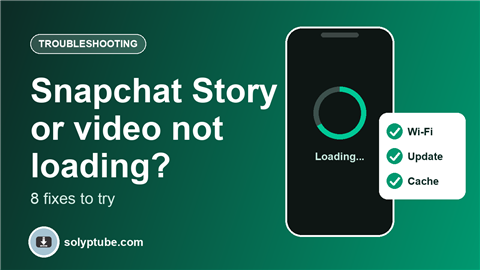
Sometimes a Snapchat Story, Snap or video just spins and never opens, or shows a blank screen. Most of the time the cause is simple: a weak connection, an old version of the app, or a full phone. Try the fixes below in order. They start with the quickest.
1. Check your internet connection
Snapchat needs a steady connection to load Stories and videos.
- Switch between Wi-Fi and mobile data and see if it loads.
- Turn airplane mode on, wait ten seconds, then turn it off.
- Open a web page or a video in another app. If those are slow too, the problem is your connection, not Snapchat.
2. Find out if Snapchat has a problem
If Snapchat itself is having trouble, nothing on your phone will fix it. Check Snapchat's official support channels or an outage-tracking website to see if other people report the same problem. If they do, wait and try again later.
3. Close Snapchat and open it again
Swipe Snapchat away from your recent apps, so it closes completely, then open it again. This clears small glitches without changing any of your settings.
4. Restart your phone
Turn the phone off and on. It sounds basic, but it clears memory problems that can stop videos from loading.
5. Update Snapchat and your phone
An old version of Snapchat may not work properly with Stories or new features. Open the App Store or Google Play, search for Snapchat and tap Update if you see the button. Also install any waiting update for your phone's system.
6. Clear the Snapchat cache
The cache is a store of temporary files. If it gets corrupted, videos may fail to load. In Snapchat, open your profile, tap the settings icon and look under account actions for Clear Cache.
On Android you can also clear the cache from the phone's settings: open Apps, then Snapchat, then Storage, then Clear cache. iPhone does not have a clear cache button for each app, so update or restart first, and reinstall only as a last resort.
Clearing the cache removes temporary files only. It should not delete your Memories or your account, but check the message on screen before you confirm.
7. Turn off data saver, low power mode and VPN
Some settings limit what an app can download in the background:
- Snapchat's own data saver setting, if you have it on.
- Low data mode, data saver or battery saver on your phone.
- A VPN or a content blocker, which can block the videos from reaching the app.
Switch them off for a few minutes and test again.
8. Free up storage and check permissions
If your phone is almost full, Snapchat may not have room to load videos. Delete files you do not need, then try again. Also check in your phone settings that Snapchat is allowed to use mobile data, storage and photos.
If only one person's Story will not load
If everything else in Snapchat works and only one Story does not open, it is usually not your phone. The person may have deleted the Story, changed who can see it, or removed you from their friends. In that case nothing on your side will bring it back.
Before you reinstall Snapchat or log out
If nothing helps, reinstalling the app is the last step. Before you do, make sure you will not lose anything. Your Memories are stored in your account, but it is always safer to keep a copy:
- Save your Snapchat Memories to your camera roll.
- Download a copy of your Snapchat data.
- Make sure you know your username, password and the email or phone number on your account.
If the problem remains after a reinstall, contact Snapchat Support from the app's settings or from the Snapchat support website.
Frequently asked questions
Why does my Snapchat Story keep loading and never opens?
The usual causes are a weak connection, an out-of-date app, a full phone or a temporary problem at Snapchat. Work through the fixes above in order.
Will clearing the cache delete my Memories?
It should not. The cache holds temporary files, and Memories are stored in your account. Check the message Snapchat shows before you confirm, and keep a backup of anything important.
Is it my phone or Snapchat?
Try another app that uses the internet. If other apps work and only Snapchat does not, update or restart Snapchat. If other apps are slow too, check your connection. If many people report the same problem online, it is probably Snapchat.
Why do videos load on Wi-Fi but not on mobile data?
Data saver or low data mode may be limiting the app, or your mobile signal may be weak. Turn off the data saving settings and test in a place with a better signal.
Should I delete the app and install it again?
Only as a last step, after you have saved or backed up your Memories and checked that you know your login details..